

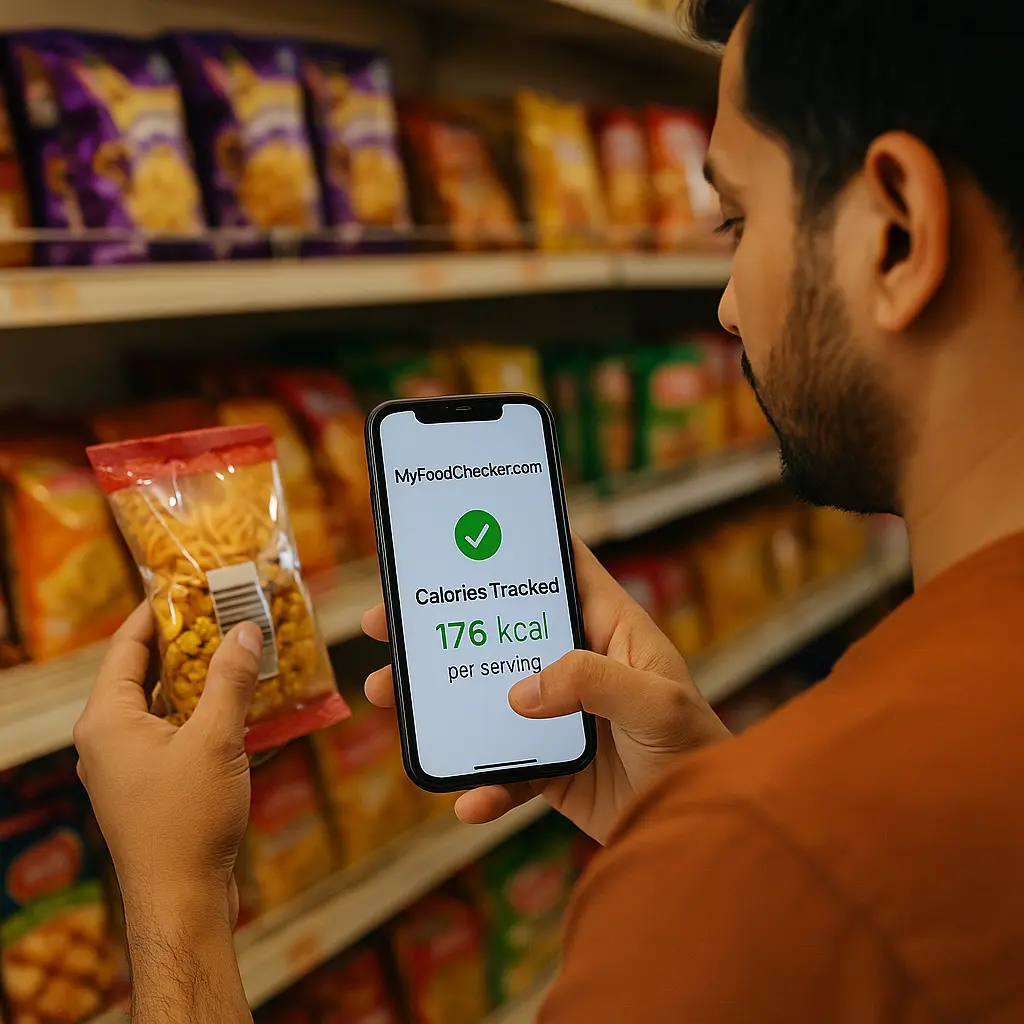
A nutrition barcode scanner is a simple tool that gives you quick, accurate calorie and nutrition information when you scan packaged food. Understanding calories is essential for healthy eating, but decoding food labels can be confusing and time-consuming. If you’ve ever struggled to understand serving sizes or nutritional values, you’re not alone.
Table of Contents
Why Food Labels Can Be Misleading
Reading nutrition labels often leads to confusion. Terms like “per 100g,” “saturated fat,” or “net carbs” are not always easy to understand. Some items look healthy at first glance but hide high sugar or sodium levels. Instead of guessing, scanning a product gives you a direct breakdown of calories and nutrients. It helps you shop smarter and eat with more confidence.
What Is a Calorie Scanner App?
A calorie scanner app is a mobile tool that scans food barcodes and tells you how many calories are in a serving. It also shows:
- Macronutrients like protein, carbs, and fats
- Added sugars, fiber, and sodium content
- Accurate calorie count based on real portion sizes
The app from My Food Checker is designed for Indian users and supports a wide variety of local and packaged foods.
Why the Nutrition Barcode Scanner Is Useful
This smart scanning tool offers a simple and stress-free way to make better food choices. Whether you’re shopping in a store or preparing meals at home, it helps you stay informed and confident about what you’re eating. Here’s how it adds value to your daily routine:
Instant Calorie Information
Just scan the package and get clear calorie numbers right away. No need to read through complicated labels or search for values online. This makes it much easier to manage your food intake and stick to your health goals.
Smarter Product Comparisons
Not sure which snack to pick? You can scan both and compare their nutritional profiles instantly. Whether you’re looking to reduce sugar, cut back on fat, or choose something lighter, this tool gives you the data to decide on the spot.
Helps With Food Tracking
For anyone tracking meals or trying to maintain a balanced diet, this tool is a huge help. It lets you log and remember what you’ve eaten throughout the day, keeping you accountable and organized.
Works With Indian Products
Unlike many tools built for other countries, this one supports a wide range of Indian brands and locally available packaged foods. You can scan everything from traditional snacks to modern ready-to-eat meals with reliable results.
Convenient Anytime
Whether you’re at a supermarket, cooking in your kitchen, or planning your meals, it fits right into your lifestyle. Just open the app, scan, and get instant clarity about what’s in your food.
How It Works Step by Step
- Open the calorie scanner app from My Food Checker
- Point your phone at the food barcode
- Instantly see calories, macros, and serving info
- Adjust serving size if needed
- Save it to your food log or scan history
The whole process takes less than ten seconds and gives you reliable results.
Pro Tips
1. Don’t be fooled by buzzwords
Many packages say “low-fat” or “natural,” but that doesn’t mean healthy. Use the calorie scanner app to check actual sugar, sodium, and calorie levels.
2. Save your most-used foods
Once you scan a product, save it for future reference. This makes repeat grocery trips much faster using the calorie scanner tool.
3. Adjust serving sizes for real portions
Many food labels are based on tiny serving sizes. You can update the quantity in the app to see calories for what you actually eat.
4. Track your daily food history
Use the log feature in the calorie scanner app to view what you’ve scanned throughout the day. It helps you stick to your calorie goals.
5. Scan sauces and herbs too
Items like ketchup, mayonnaise, and chutneys often hide sugar or fat. A quick scan can help you stay within your limits.
6. Keep the app updated
New food brands and barcode entries are added frequently. Update your calorie scanner portal to ensure you’re getting the latest data.
7. Share your food log with your trainer
If you’re following a diet plan, use your scan history to show your nutritionist or trainer what you’ve been eating. It helps them tailor better advice.
FAQs
1. How accurate is the nutrition barcode scanner from MyFoodChecker.com?
The scanner pulls data from verified food databases and Indian product listings. It gives real-time calorie and macronutrient values, helping users avoid guesswork during shopping or meal prep.
2. What should I do if the barcode is missing or damaged?
You can use the search option in the app to type the product name or manually enter its nutrition data. This works well for unscannable labels or local items.
3. Can I scan beverages like soft drinks or packaged juices?
Yes. Most drinks with a visible barcode are supported. You’ll be able to check their calorie count, sugar content, and serving size instantly.
4. Is this useful for someone trying to gain or lose weight?
Absolutely. Whether you’re tracking a calorie deficit or surplus, the scanner gives you precise information for each item, helping you plan your meals more effectively.
5. Will my scanned history be saved if I use it regularly?
Yes. The app stores your scan history so you can revisit frequently eaten items or monitor your progress without scanning everything again.
Conclusion
A nutrition barcode scanner simplifies your health journey by turning every barcode into a clear calorie insight. It eliminates the confusion of food labels and gives you a faster way to understand what you’re really eating. With My Food Checker, you’ll be equipped to make informed food decisions every day. Whether you’re trying to lose weight, build muscle, or just eat smarter, this tool fits right into your lifestyle. No more guessing. Just scan and know.
