

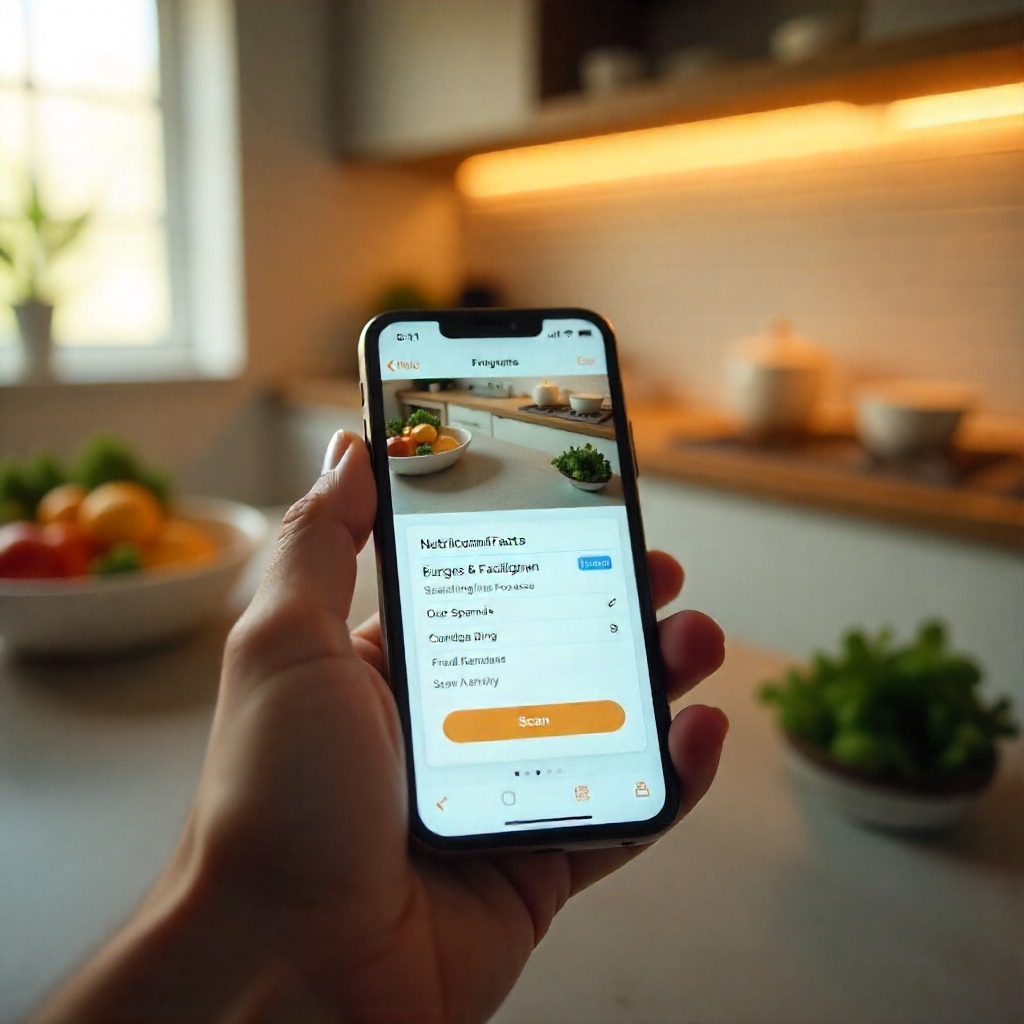
A food label scanner works seamlessly with a smart grocery app to help you understand ingredients quickly while shopping. Using a tool through an app lets you avoid allergens and confusing additives with ease. A scanner combined with your shopping app gives you instant clarity on calories, nutrition and overall food quality. When you depend on this technology alongside your grocery app, making healthier choices becomes simple and stress free. The scanner becomes more powerful with an app that filters foods based on your personal dietary needs. My Food Checker
Table of Contents
What is a food label scanner?
This helpful tool, often built into a mobile application, allows you to scan the barcode or label of packaged products and instantly receive clear, easy-to-understand details about ingredients, allergens, additives and overall nutritional value. With the right scanning system, you can quickly avoid hidden ingredients, spot potential allergens and stay aligned with your dietary goals without needing to read long, complicated labels.
It streamlines grocery decisions by turning complex information into simple guidance you can trust. One reliable option offers ingredient insights, allergen alerts, calorie information and customizable food filters that make everyday shopping safer and more convenient. This kind of technology makes it far easier to choose products that fit your lifestyle and support healthier habits every day.
Here are key reasons the right tool matters:
- It speeds up grocery decisions by replacing long label-reading.
- It flags allergens, additives and ingredients you didn’t expect.
- It supports healthier eating by revealing calories and nutritional info.
- It helps those on special diets (vegan, gluten-free, allergy-safe) make safe choices.
Benefits of a smart grocery app
- A modern grocery app goes far beyond simple barcode checking. It brings together helpful tools that guide your choices, simplify shopping and make it easier to stay aligned with your dietary preferences. Features such as instant ingredient breakdowns, allergen alerts, nutrition details and easy navigation help you shop with confidence and avoid surprises on product labels.
What this type of app can offer
- When you use a grocery app with strong, reliable features, you gain access to much more than quick scans. One example provides clear ingredient insights, pop-up warnings for common allergens, customizable filters, calorie information and an interface designed for everyday shoppers. These additions turn a regular shopping trip into a smoother, safer and more informed experience.
- A modern grocery app allows you to:
• Set your personal dietary needs and let the system automatically filter products for you, reducing guesswork and saving time.
• Check items instantly as you shop so you always know what you are buying without needing to read long ingredient lists.
• Build long-term healthy habits by receiving real-time guidance that supports better choices every time you visit the store.
Pro Tips
- Start with your scan preferences set up.
In your smart grocery app, set your diet type (vegan, vegetarian, gluten-free, etc.) so that when you use the food label scanner the results align with your needs. - Scan every unfamiliar product.
Even trusted brands can change their ingredients without notice. Scanning new or updated items helps you avoid surprises that might not be obvious from a quick glance at the packaging. - Use the filter tools in your app.
If you need to avoid certain additives or allergens, turn on the relevant filters so the app can alert you immediately. This makes it easier to stay consistent with your dietary needs. - Double-check the small print afterward.
Digital scanning provides a fast overview, but it is still important to look at finer details like serving size, calorie count and preparation notes to make fully informed decisions. - Use the app right in the grocery aisle.
There is no need to wait until you get home. Pull out your phone while shopping, scan items on the shelf and make decisions instantly based on the information provided. - Keep a personal “safe list.”
Whenever you find products that work well for you, save them in your favourites so future shopping trips are quicker and easier. This helps you build a reliable list of go-to options. - Educate yourself on ingredients.
The more familiar you are with additives, allergens and nutrition terms, the easier it becomes to interpret the information shown in the app. This knowledge improves your overall confidence. - Be aware of limitations.
While helpful, digital tools rely on databases that may not always be updated immediately. It is important to check for app updates or user feedback to ensure accuracy. - Share safe choices with your family.
If you shop for children, older relatives or anyone with dietary restrictions, setting up individual profiles can help the app guide you toward safer options for each person. - Review your progress regularly.
Take time to look back at how the tool has supported your eating habits and safety. Adjust your settings or preferences based on what has worked well and where you want improvements.
FAQs
Q1: How reliable is a food label scanner in detecting hidden allergens?
In app My Food Checker pulls data from verified databases and displays alerts if allergens or additives are found. While it significantly helps reduce risk, you should still double-check manually if you have severe allergies, since databases may not always reflect last-minute changes.
Q2: Can the smart grocery app help with calorie tracking?
Yes, many grocery apps include calorie and nutrition details for each product scanned. This allows you to monitor intake, compare similar items, and choose options better aligned with wellness goals. My Food Checker, for example, provides calorie insights and ingredient breakdowns.
Q3: Do I need to pay for full features of this type of app?
It depends on the platform. Many apps provide basic functions at no cost and reserve advanced options such as detailed filters or personalized plans for paid versions. Some services offer a free download and allow users to upgrade later if they want more specialized tools.
Q4: Will scanning every product slow down my shopping significantly?
This process may add a few seconds to each item at first, but it quickly becomes faster as you get used to it. Saving your preferences and favourite items helps you move through the store more confidently and reduces the time spent analyzing labels on your own.
Q5: Can this kind of app replace reading full nutrition labels?
These apps make label reading much easier by breaking down important details, but they should not completely replace looking at the package yourself. It is still helpful to check serving sizes, updates to ingredients and any new information to make sure everything aligns with what you need.
Conclusion
In summary, using a food label scanner within a robust smart grocery app gives you a smart, faster, safer way to shop and eat. With tools such as My Food Checker you get real-time ingredient insights, allergen alerts and personalized filters that help your decisions. By following the pro tips and being aware of your app’s features and limits, you make grocery shopping simpler and more transparent.
